Inbox2 is a freeware application for Windows which includes several Email servers with an attachment for social networking websites like Facebook, Twitter etc. It is more than just an email client. It includes all of your contacts into one place and gives you one inbox for all the messages from your friends from different streams. 
Only one thing you might be missing in this software is a chat box as it covers Facebook and other Email accounts. Well, that would be just another excuse for not trying it out.
Setting up Inbox2
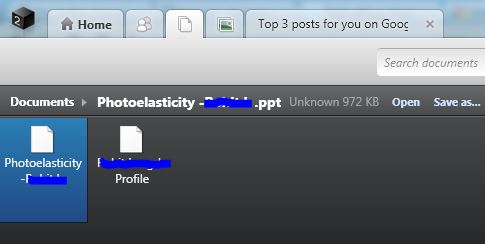
Inbox2 syncs up all your messaging data, documents & images (that you have received via emails) from your accounts that you have added to it. At first, it will take several minutes to configure fully and setup its services for you.
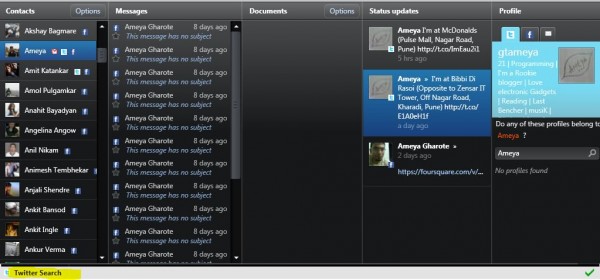
It is very easy & quick to add accounts by clicking on the icon of desired service. While adding Facebook, don’t use F-connect option instead just login with your account details. Moreover, it displays a live stream of recent activities from Facebook & Twitter. While in minimized state, it shows the background notifications too & you can set the time delay for it. Also at the bottom there is a Twitter search option but it doesn’t show the Trending Topics.
Prioritize
In the contacts window, it shows all the available information about the selected person. You can add other profiles of that person too. Well these are such basic options but the three main options are 1. Make To Do, 2. Waiting for answer & 3. Read Someday. You get these options while replying an email. You can put your replies in these three lists as per their priorities.
It is a very well crafted utility for your social communication over emails. Even though it is a beta version, it delivers a good performance. The interface is standard & beautifully managed but worked slower in Netbooks.
Tip- If you get resolution problems & unable to maximize then hold Start Menu & press Up arrow key to fit to the screen.


awesm
ReplyDeletedidnt understood....!!!!!!
Deletewere is ts real application....???
at the end of paragraph "downloadinbox2 " .
Deleteat the end of paragraph "downloadinbox2 " .
Delete